
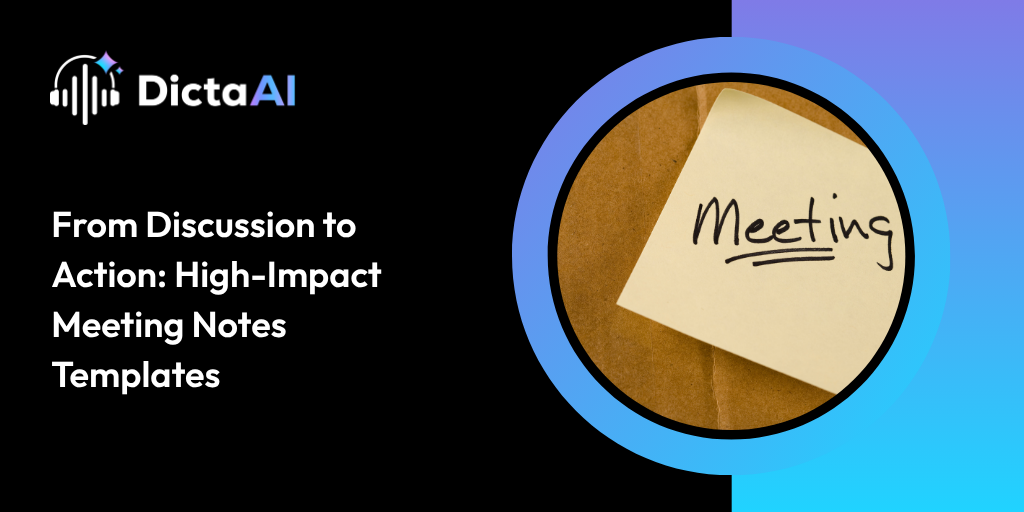
Most meeting notes are either too long, too scattered, or too incomplete to be useful.
Someone captures a few points. Someone else adds their own version in a separate document. Action items get buried. Decisions are discussed but not clearly recorded. By the time the next meeting arrives, teams are still trying to remember what was agreed on.
This is where AI-powered meeting notes change the workflow.
Using Business Transcription Services and AI tools for business, teams can turn ai meeting notes into immediate action with smarter AI note-taking. Instead of manually rebuilding conversations, teams can use transcripts, summaries, action items, and insights to move from discussion to execution faster.
Meetings are only useful when they lead to clear follow-up.
A productive discussion can still lose value if decisions are not recorded, tasks are not assigned, or responsibilities are unclear. High-impact meeting notes help teams stay aligned after the call ends.
Good notes support:
AI-powered notes reduce the manual effort behind this process. Instead of relying on one person to capture everything, AI can automatically record the discussion, identify key points, and organize the meeting into a format teams can actually use.
Different meetings need different note formats. A leadership update may need a short executive summary, while a project review may need detailed action items and responsibilities.
AI tools can generate multiple note templates from the same transcript depending on the purpose.
A short summary gives a quick overview of the meeting in paragraph form.
It focuses on the main discussion points, outcomes, and highlights without listing every small detail. This format works well when someone needs a fast understanding of what happened.
A short summary is useful for:
A bullet point summary organizes the meeting into quick, scannable points.
This format works well for teams that need a clear reference after the meeting. It can include the main discussion topics, decisions made, unresolved questions, and next steps.
A bullet point summary helps teams:
An executive summary is usually 3 to 5 sentences and is designed for leaders who need the key takeaway without reading the full transcript.
It should highlight:
This format is helpful for leadership updates, board-level reporting, strategic reviews, and cross-department communication.
A briefing document is more structured and detailed.
It works well when meeting notes need to be shared with team leads, stakeholders, or decision-makers. Instead of being a simple recap, it turns the meeting into a professional reference document.
A strong briefing document may include:
This is useful for project reviews, client meetings, quarterly planning, and leadership discussions.
Action items are often the most important part of any meeting.
They are also the easiest to miss.
AI-powered ai note taking can identify tasks discussed during the meeting and organize them clearly. It can capture what needs to be done, who is responsible, and when the task is due.
This helps teams avoid confusion after the call.
Instead of asking, “Who was supposed to handle that?” teams can quickly review a clear action item list and move forward.
When connected with project management workflows, action items can also be added to task boards or shared with the right team members for follow-up.
High-impact meeting notes should not only capture what was discussed. They should also show who contributed what.
AI meeting notes can list participants and summarize their main input during the meeting. This helps teams understand where ideas, concerns, and decisions came from.
Participant-level summaries can support:
Meetings are not only about words. Tone matters too.
Sentiment analysis helps identify whether a meeting felt positive, tense, collaborative, neutral, or uncertain. This gives leaders a better understanding of team dynamics beyond the written transcript.
For example, a meeting may look fine on paper, but sentiment analysis may show hesitation around a decision, frustration about delays, or strong agreement around a new idea.
This can help leaders:
Project meetings often contain progress updates, blockers, priorities, and next steps.
AI can organize these details into a concise project status update that is easier to share with stakeholders.
A useful project status update should include:
This saves managers from manually creating updates after every project call.
It also keeps the entire team aligned on what has moved forward and what still needs attention.
Every meeting should make decisions easier to track.
A decision summary clearly lists what was agreed on during the discussion. This helps reduce confusion and prevents teams from revisiting the same topic repeatedly.
A good decisions summary can include:
This is helpful for leadership meetings, client calls, hiring discussions, product planning, and operational reviews.
Meetings often include feedback, progress updates, challenges, and performance-related observations.
AI tools for business can help organize those insights in a structured way.
For example, meeting notes may capture:
This helps managers review performance more objectively.
Follow-up emails are one of the most common tasks after meetings.
They are also one of the most repetitive.
AI meeting notes can help draft professional follow-up emails directly from the transcript. These emails can include:
AI-powered note-taking does more than save time.
It improves the way teams document, share, and act on meeting information.
The main benefits include:
When combined with Business Transcription Services, meeting notes become more accurate and useful. Teams can move from raw conversations to structured outputs without manually sorting through every detail.
Also Read: Automate Your Meeting Notes for Maximum Productivity with DictaAI Notetaker
High-impact meeting notes help teams move from discussion to action.
AI-powered templates make that process faster, clearer, and more consistent. Instead of scattered notes and missed follow-ups, teams get summaries, action items, decisions, project updates, sentiment insights, and follow-up drafts from one meeting transcript.
DictaAI helps businesses turn meetings into structured, actionable notes through Business Transcription Services, ai meeting notes, and ai note taking workflows designed for modern teams.
Looking to make every meeting easier to document and act on?
Explore DictaAI’s Business plan to automate meeting notes, organize action items, and help your team move faster after every discussion.
AI-powered meeting notes capture decisions, action items, owners, and deadlines automatically. This helps teams know what was agreed on, who is responsible, and what needs to happen next.
Short summaries give a quick overview. Bullet point summaries list key points and decisions. Executive summaries give leaders a brief update. Briefing documents provide a structured record with purpose, decisions, action items, and insights.
DictaAI analyzes meeting transcripts to identify tasks, owners, timelines, and next steps. These action items can then be organized for easier follow-up across team workflows.
Sentiment analysis shows the tone of a meeting, such as positive, tense, collaborative, or neutral. It helps leaders spot concerns, alignment, or hesitation that may not appear in basic notes.
DictaAI helps teams create summaries, action items, decisions, participant insights, sentiment analysis, and follow-up drafts from transcripts. This reduces manual note-taking and supports faster, clearer decision-making.



Comments
Glynnis Campbell
This is a test comment!