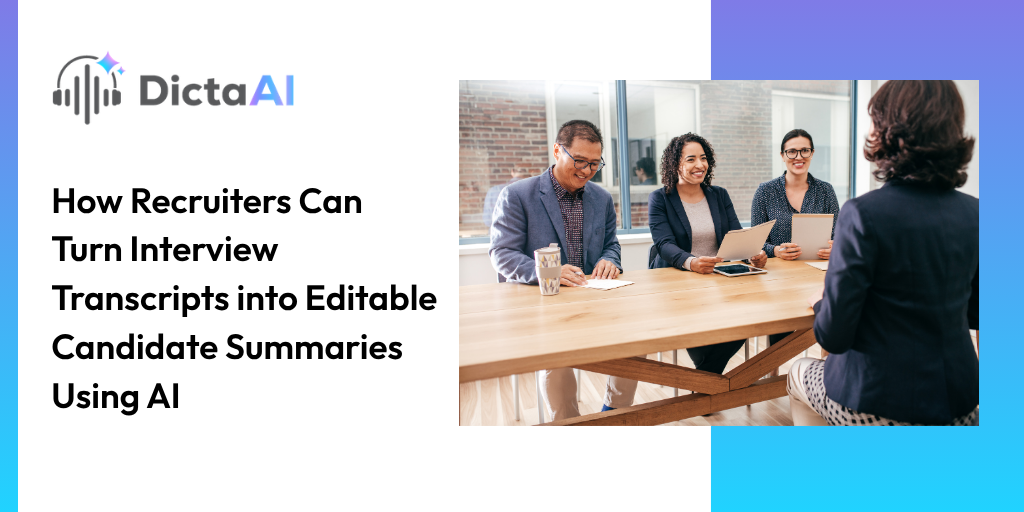
A recruiter might interview five candidates for the same position in one day. By the final conversation, remembering who managed a particular project, which candidate had experience with specific software, or what someone said about their availability becomes difficult.
Interview notes help, but they rarely capture every detail. Replaying recordings takes time, especially when hiring managers need a clear comparison before the next interview round.
AI interview analysis makes that process easier. By combining interview transcription with AI-powered analysis, recruiters can turn recorded conversations into structured candidate summaries that are easier to review, edit, and share.
A useful interview summary does more than shorten a conversation. It organizes the candidate's responses around the information the hiring team needs.
Most candidate interview summaries should cover:
Recruiter observations can be included separately, but they should never be presented as statements made by the candidate.
The process starts with a recorded interview and ends with a reviewed document. The transcript provides the source material, while AI helps organize the relevant information.
Start by obtaining the candidate's consent and recording the interview according to your organization's policies.
Upload the audio or video file to DictaAI for interview transcription. The platform supports common formats, including MP3, WAV, M4A, MP4, and MOV.
For virtual interviews on Zoom, Google Meet, or Microsoft Teams, DictaAI Notetaker can capture the conversation and make the recording and transcript available after the meeting. Notetaker is available on eligible paid plans rather than the free Basic plan.
Once transcription is complete, the recording becomes a written record that recruiters can review and analyze.
Also Read: 7 Best Apps to Record Candidate Interviews in 2026
Before generating a summary, review the transcript for details that could affect the candidate's profile.
Pay particular attention to:
AI transcription can misinterpret unfamiliar names or overlapping speech. Correcting the information in your working copy, and verifying it against the recording, reduces the chance of carrying those errors into the summary.
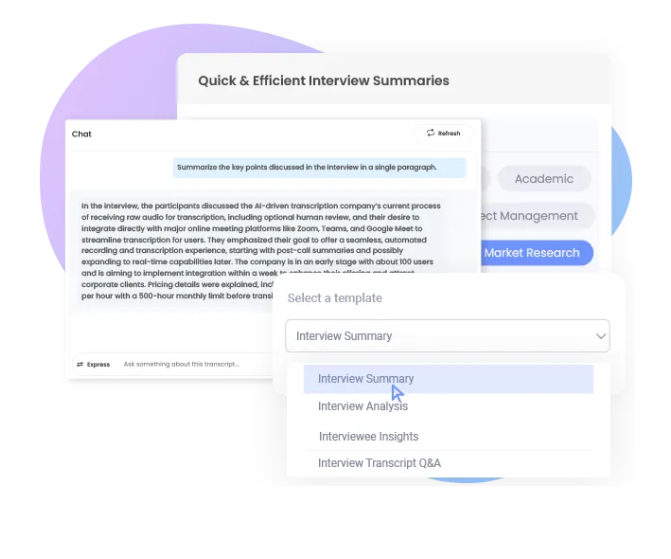
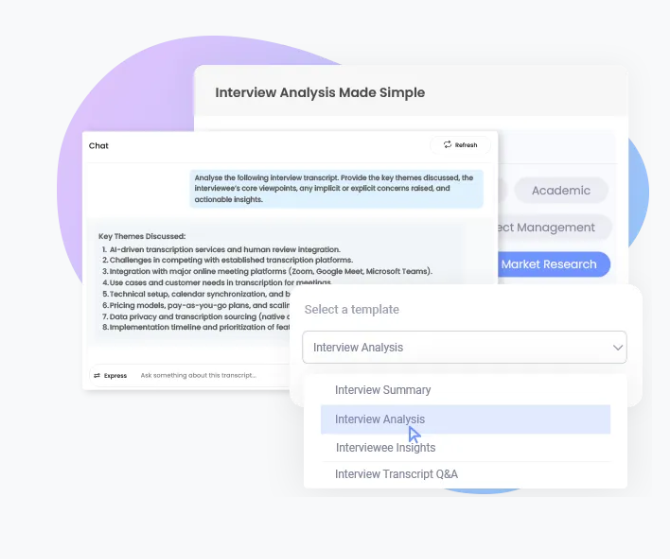
Open AI Analysis in DictaAI, select the interview transcript, and click Analyze Files.
It lets recruiters ask questions about interview content or use custom prompts to organize candidate responses.
Rather than asking AI to simply summarize the interview, specify the information you want.
Example prompt:
"Create a candidate interview summary covering relevant experience, technical skills, project examples, leadership responsibilities, availability, and follow-up questions. Use only information supported by the transcript. Mark anything not discussed as 'Not mentioned.' Do not infer personality traits or hiring suitability."
This produces a more focused draft and helps distinguish documented responses from missing information.
Once DictaLens generates the draft, copy the output into Microsoft Word, Google Docs, or an approved recruiting system.
DictaAI currently supports downloading transcripts in Word, PDF, and TXT formats, but transcript text cannot be edited directly within the platform.
During editing, remove repeated information, correct wording, and arrange the details according to your hiring team's template. Check important statements against the original conversation before sharing.
Consider a fictional candidate interviewing for a project manager position.
An organized summary might look like this:
| Category | Interview Summary |
|---|---|
| Relevant experience | Described leading a customer data migration project involving an eight-person team |
| Technical skills | Discussed using Jira for project tracking and reporting |
| Leadership | Explained how weekly meetings helped coordinate project responsibilities |
| Availability | Mentioned a four-week transition period |
| Follow-up needed | Clarify responsibility for project budgets and financial approvals |
*Illustrative example only; not an actual DictaLens-generated output.
This format allows hiring managers to understand the candidate's reported experience without reading the entire transcript.
Notice that the summary describes what was discussed. It does not assign an arbitrary leadership score or conclude whether the candidate should be hired.
A single summary helps document one interview. Comparing several summaries becomes useful when multiple candidates are being considered for the same position.
DictaLens supports analyzing multiple transcripts together, allowing recruiters to investigate how candidates answered similar questions.
For example:
Using the same role-specific criteria helps make the comparison more consistent.
However, information that was not discussed should not be interpreted as a lack of experience. AI recruitment tools can organize evidence, but recruiters must still assess whether the questions were comparable and whether further clarification is needed.
Interview summaries may influence hiring decisions, so accuracy and responsible use are important.
Recruiters should verify significant claims against the transcript, avoid including unnecessary sensitive personal information, and use consistent job-related evaluation criteria.
Recordings and summaries should also be accessible only to authorized team members. Before uploading interviews to a third-party platform, confirm that the process follows organizational privacy, consent, and retention requirements.
Most importantly, AI-generated summaries should support human evaluation rather than replace it. A candidate's qualifications cannot be reliably determined from a condensed transcript alone.
Reviewing interview recordings does not have to mean repeatedly searching through lengthy conversations.
With DictaAI, recruiters can transcribe interviews, use DictaLens to organize relevant answers, and create editable summaries that are easier to share with hiring teams. The original transcript remains available for verification, while recruiters retain control over the final assessment.
Try DictaAI's free Basic plan, which includes 60 transcription minutes each month, and explore how AI-assisted interview summaries can fit into your recruitment workflow.
1. Can AI automatically create candidate summaries from recorded interviews?
Yes. AI can analyze an interview transcript and draft a structured summary covering experience, skills, and relevant responses. Recruiters should verify the output before using it in hiring decisions.
2. Can recruiters edit AI-generated interview summaries?
Yes. DictaLens output can be copied into Word, Google Docs, or an approved recruiting system for editing and customization.
3. Can DictaAI compare several candidate interviews at once?
Yes. DictaLens supports multi-file analysis, allowing recruiters to compare responses across several interview transcripts using consistent, job-related questions.
4. Can AI recruitment tools determine which candidate is best?
AI tools can organize and compare interview information, but final hiring decisions require human judgment, appropriate evaluation criteria, and consideration of the full application.
Comments
Glynnis Campbell
This is a test comment!