
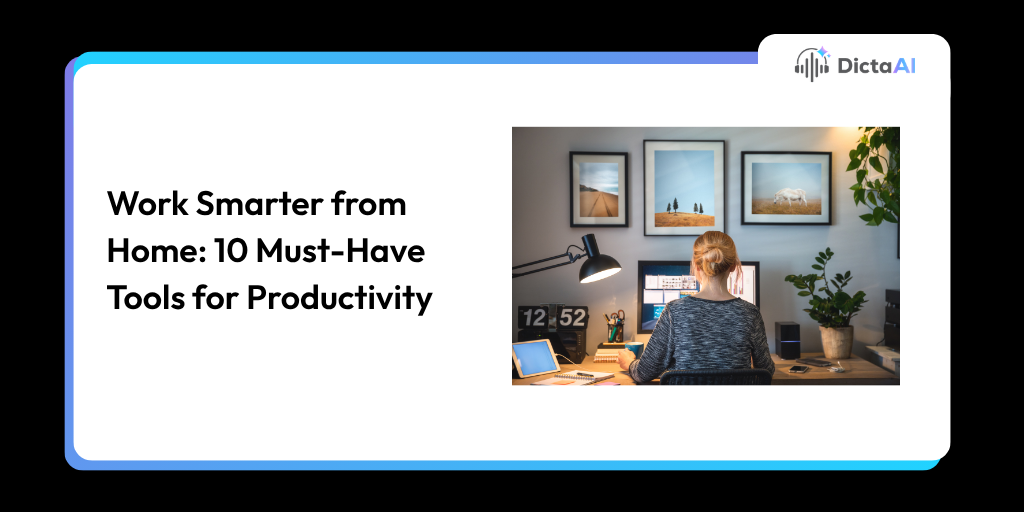
Working from home sounds simple until distractions, poor posture, slow internet, and back-to-back meetings start affecting your day.
A productive home office is not just about having a laptop and a quiet corner. The right setup can help you stay focused, reduce physical strain, communicate better, and manage work more smoothly.
That includes both physical gear and smart digital tools. From ergonomic furniture to an AI Meeting Assistant, the right mix of tools can help remote teams work with more clarity and less manual effort.
DictaAI also makes remote work easier by turning meetings into transcripts, summaries, action items, and Transcription Analytics that teams can use after the call ends.
A good chair is one of the most important parts of any home office setup.
Long hours at a desk can lead to back pain, neck strain, and poor posture if your chair does not support your body properly. An ergonomic chair helps reduce that strain by supporting your lower back, shoulders, and sitting posture.
Look for features like:
Sitting all day can drain your energy.
An adjustable desk or standing desk gives you the option to switch between sitting and standing throughout the day. This helps reduce stiffness and encourages more movement during work hours.
A standing desk can be especially useful for:
Remote work depends heavily on reliable internet.
A slow or unstable connection can interrupt video calls, delay file uploads, freeze cloud-based apps, and create unnecessary frustration. For remote teams, a strong internet is not optional. It is part of the work infrastructure.
A good connection supports:
Home is not always quiet.
Background noise from family members, traffic, pets, or shared living spaces can make it harder to focus. Noise-canceling headphones help block distractions and create a more controlled work environment.
They are especially helpful during:
Also Read: How to Transcribe Audio to Text on Your Phone Using an AI Transcription App
A second screen can quickly change how you work.
Dual monitors or a large monitor allow you to keep multiple windows open without constantly switching tabs. This is useful when you are comparing documents, reviewing spreadsheets, attending meetings, or managing projects.
A larger screen setup helps with:
For many remote workers, this is one of the easiest ways to improve workflow efficiency.
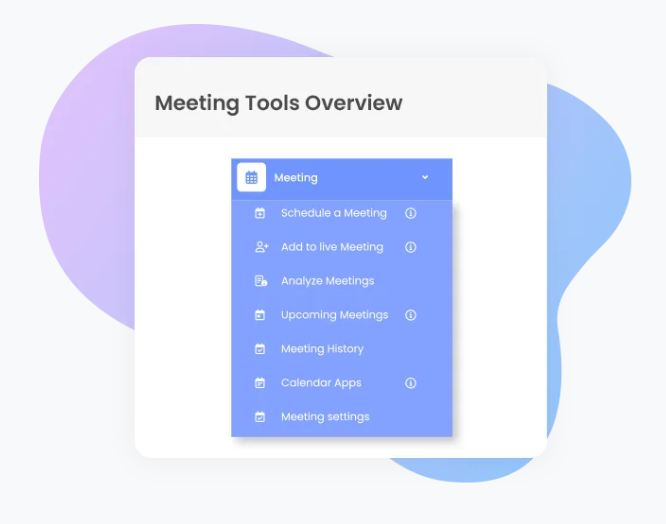
Meetings are a big part of remote work, but taking notes during every call can slow you down.
An AI Meeting Assistant helps by automatically joining, recording, and documenting meetings across platforms like Zoom, Google Meet, and Microsoft Teams. This allows teams to stay present during discussions instead of trying to capture every detail manually.
An AI Meeting Assistant can help:
Instead of losing important details after the meeting, teams can return to clear notes, searchable transcripts, and structured summaries.
Also Read: Beyond Note-Taking: How DictaAI’s AI Notetaker Enables Secure, Automated Enterprise Meetings
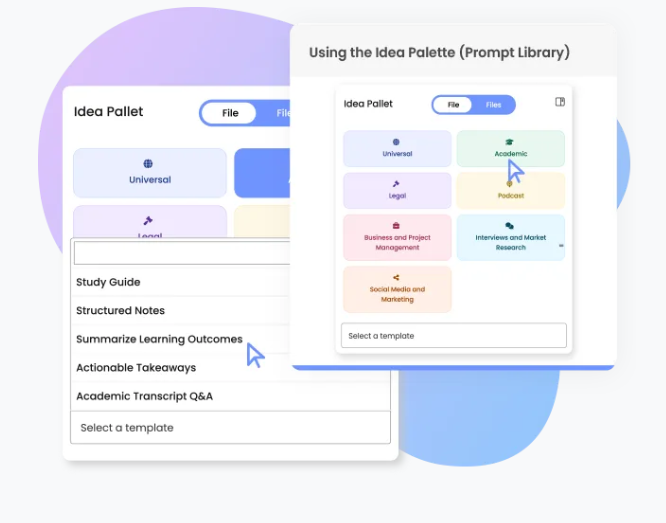
Meeting recordings are useful, but searchable transcripts are far more practical.
AI transcription services convert audio and video meetings into structured, searchable text. This helps teams review discussions without replaying entire calls.
With tools like DictaAI, remote teams can use AI transcription services to create:
This is where Transcription Analytics becomes valuable.
Instead of only documenting what was said, analytics can help teams understand patterns across meetings. Leaders can track recurring concerns, follow-up gaps, project progress, customer sentiment, and team alignment.
Small discomforts can become big distractions over time.
A comfortable keyboard and mouse can reduce wrist strain, improve typing flow, and make long work hours easier to manage. This is especially important for people who write, code, design, manage spreadsheets, or handle daily documentation.
Good options include:
The right tools should feel natural to use and support your working style.
Remote work needs structure.
Without a shared system, tasks can get buried in emails, meeting notes, or chat messages. Task management apps help teams organize work, assign responsibilities, and track deadlines.
Common tools include:
These tools help remote teams keep projects visible and organized.
Video calls are part of everyday remote work.
A clear webcam and good lighting help you look more professional and communicate better during meetings. Poor lighting can make video calls feel unclear or distracting, while a basic lighting setup can improve visibility instantly.
A good setup may include:
The right gear helps, but habits matter too.
Here are a few simple ways to make your home office more productive:
Remote work becomes easier when your space, schedule, and tools work together.
Working from home is easier when your setup supports both comfort and productivity.
An ergonomic chair, adjustable desk, strong internet, clear audio, better lighting, and the right productivity tools can improve how you work every day. Digital tools are just as important. An AI Meeting Assistant, AI transcription services, and Transcription Analytics can help remote teams capture discussions, track decisions, and follow up faster.
DictaAI helps teams turn remote meetings into searchable transcripts, summaries, action items, and useful meeting insights. Instead of losing time on manual notes, teams can focus on better conversations and faster execution.
Looking to make remote meetings easier to manage?
Explore DictaAI’s Business plan to automate meeting documentation, improve follow-ups, and keep your team aligned from anywhere.
The most useful work-from-home tools include an ergonomic chair, adjustable desk, high-speed internet, noise-canceling headphones, dual monitors, an AI Meeting Assistant, AI transcription services, a comfortable keyboard and mouse, task management apps, and a proper webcam and lighting setup.
An AI Meeting Assistant records and documents meetings automatically, while AI transcription services turn conversations into searchable transcripts, summaries, and action items. This helps remote teams stay aligned, review decisions, and follow up faster after meetings.
Ergonomic chairs support posture and reduce back strain during long work hours. Adjustable desks allow you to switch between sitting and standing, which can reduce fatigue and help maintain focus throughout the day.
Transcription Analytics helps teams identify decisions, action items, recurring topics, blockers, and project updates from meeting transcripts. This makes it easier to track progress and understand what needs attention after each call.
Keep a consistent routine, take short breaks, reduce desk clutter, use task management tools, review action items daily, and use AI-driven meeting insights to make follow-ups faster and more organized.

Comments
Glynnis Campbell
This is a test comment!