TED Talks are loved worldwide for a reason. They inspire, challenge our thinking, and introduce fresh ideas in just a few minutes. The only problem is that most of us don’t have the time to watch every talk on our list, and even when we do, remembering the main ideas later isn’t always easy. That’s where DictaAI steps in. With powerful transcription services, advanced speech recognition software, and AI-driven transcription analysis, DictaAI can instantly turn long TED Talks into clear summaries, bullet-point insights, timestamps, and more.
The process starts the moment you upload your file. DictaAI accepts common audio and video formats, including .mp3, .mp4, .m4a, .wav, and more. If you already have the audio downloaded, you can drag and drop it directly into the platform.
Once uploaded, DictaAI performs speech to text transcription using its cutting-edge engine. This is not your average audio to text tool. It's built with precision in mind, it identifies multiple speakers, preserves context, and produces a highly accurate transcript. This transcript becomes the base for all the AI-powered insights that follow.
As soon as the transcript is ready, you can open it inside DictaLens, DictaAI’s unique analysis feature that transforms your raw text into meaningful content you can use instantly.
Doing research on the topic covered in the TED Talk? Need clarity on what the speaker said about a specific idea? With DictaLens, you don’t have to rewatch the entire video or scrub through timestamps looking for answers.
DictaLens lets you ask the transcript questions just like you would ask a research assistant. It searches the talk in context and responds with precise, easy-to-use insights.
Here’s what you can do with it:
This is where DictaAI becomes a complete analysis system. DictaLens uses specialized prompts to convert your transcript into multiple actionable formats.
If all you want is a quick overview, the Episode Summary delivers it. DictaAI condenses a 15–20-minute TED Talk into a crisp paragraph summarizing the core message. You get the speaker’s main argument, insights, and central themes ready to review or share.
Great for students, professionals, and content creators, the show notes break the talk into clear bullet points. These include:
If you repurpose TED Talk content for educational posts, newsletters, or YouTube summaries, you’ll appreciate this feature. DictaAI generates SEO-friendly descriptions that feel natural and reader-ready, helping your content become more discoverable.
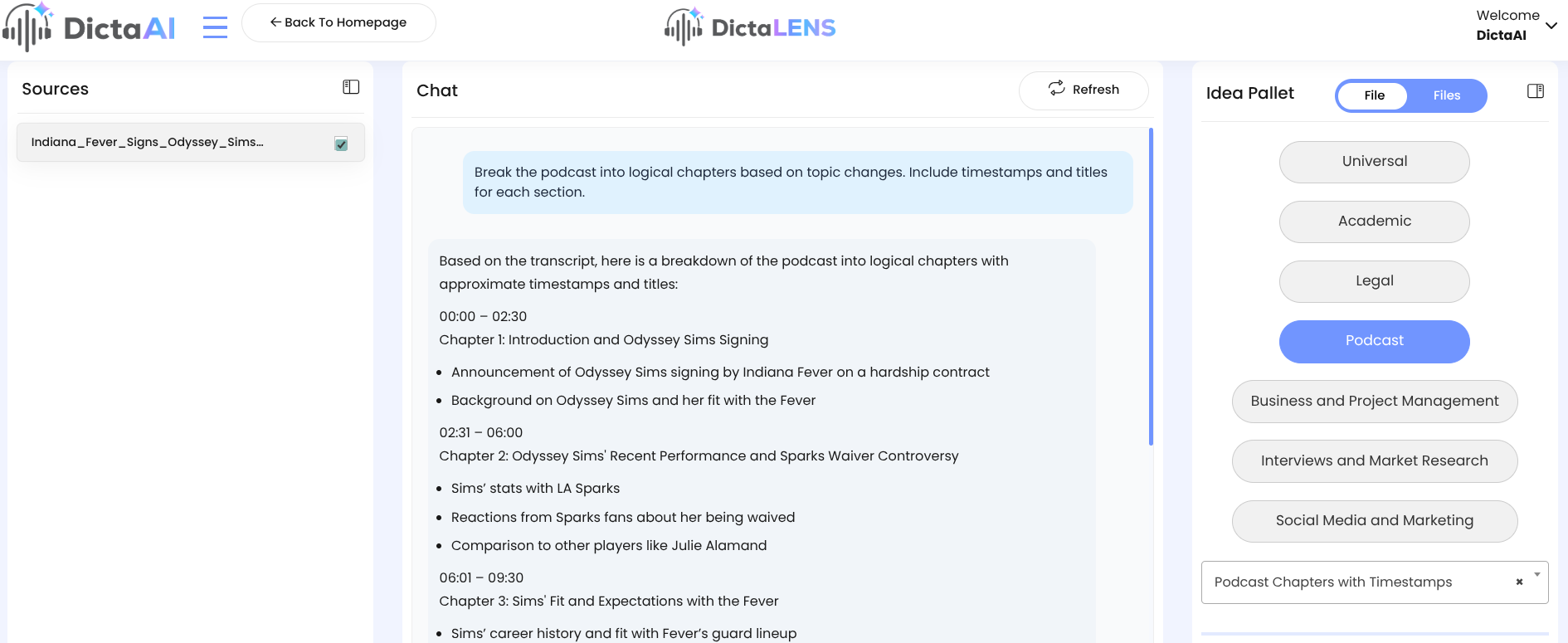
DictaLens automatically organizes long talks into neatly structured chapters. Each includes timestamps and short descriptive titles, making navigation incredibly easy. If you're studying a talk or referencing it for a project, this saves a lot of time.
DictaAI pulls:
It's perfect for educators, presenters, or social media creators who want quick access to shareable content.
DictaAI identifies core themes and keywords, helping you label or organize your content library. This is helpful for researchers or students cataloging large amounts of video content.
Whether the talk is motivational, educational, persuasive, or reflective, DictaAI analyzes the tone so you can decide how best to classify, sort, or use it.
DictaAI is more than an audio transcription tool, it’s a full productivity system. Here's why users love it:
Let’s say you want to study Brené Brown’s popular TED Talk, The Power of Vulnerability.
Here’s what it looks like using DictaAI:
Upload the audio or video file
You can upload common file formats like: .mp3, .wav, .m4a, .mp4 and many other standard audio/video formats. Don’t have the video/audio file on you, but been viewing it on YouTube? No problem. Click on “Transcribe from Weblink URL” here, on your DictaAI Dashboard’s home page, and then paste the link space below.
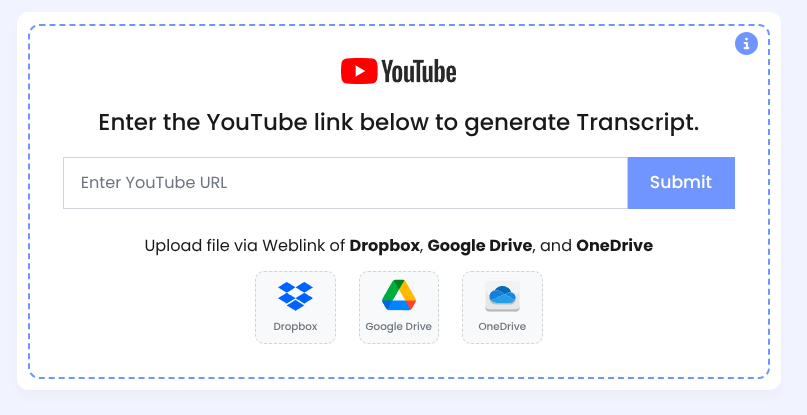
Let DictaAI generate the transcript
Open DictaLens for analysis
Get:
You can then repurpose the content for:
DictaAI is commonly used for podcast editing, meetings, coaching calls, and research interviews, but TED Talks are one of the most impactful use cases. The platform’s capabilities help users:
This is especially useful for users who rely heavily on transcription services and want a tool that goes beyond simply generating text.
Starting with DictaAI is quick and simple:
TED Talks spark inspiration, curiosity, and big ideas, but holding on to all that knowledge isn’t always easy. DictaAI changes that. With powerful speech-to-text transcription, smart audio-to-text services, and deep transcription analysis, DictaAI helps you capture every insight with clarity.
Learning becomes faster, easier, and far more organized. If you want to turn audio to text (clear, structured, and actionable), DictaAI is the smarter way to learn.
Also Read: How to Use AI to Convert Your Lectures into Organized Notes and Transcripts
DictaAI uses advanced speech recognition and AI-driven transcription analysis to break the content into understandable segments. Once the transcript is created, DictaLens scans the text, identifies key themes, highlights recurring concepts, and produces concise summaries that capture the core message of the talk.
Yes. DictaLens can automatically organize long TED Talks into chapter-style segments with clear timestamps. Each chapter includes a short title and lets you jump directly to specific parts of the conversation, making navigation much easier.
Absolutely. DictaAI generates SEO-optimized descriptions and includes relevant keyword tags. This is especially helpful for creators, educators, and anyone repurposing TED Talk content for blogs, videos, or online courses.
Yes. DictaLens automatically pulls key quotes, highlight-worthy lines, and a short speaker bio when available. These are perfect for study notes, presentations, social posts, or content summaries.
DictaAI’s transcription engine is built with advanced speech-to-text technology designed for high accuracy. It handles different accents, multiple speakers, and various audio qualities while preserving context. This accuracy ensures your summaries, notes, and chapter breakdowns remain reliable and easy to use.


Comments
Glynnis Campbell
This is a test comment!